

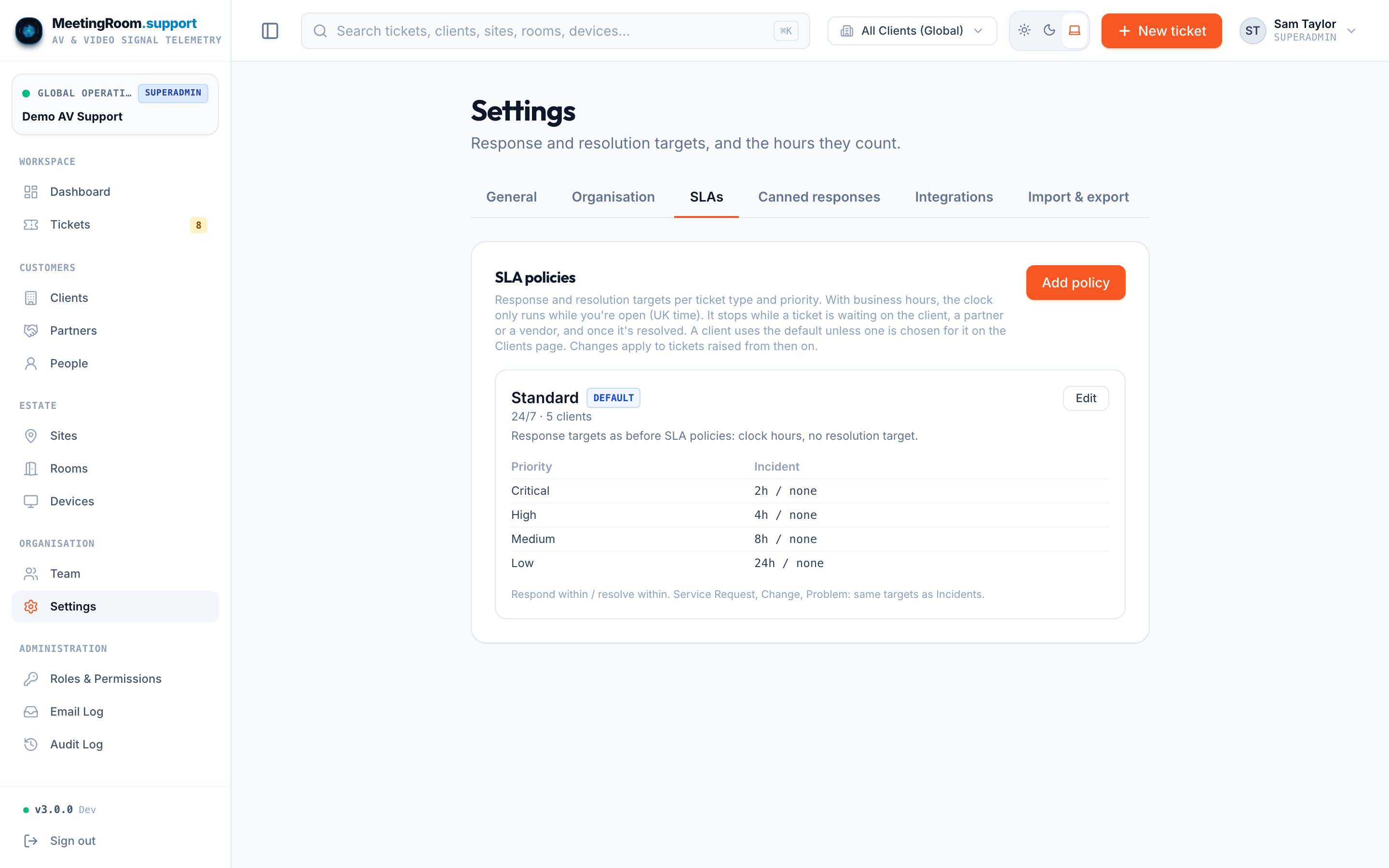
Open Settings and the SLAs tab. You need Manage SLAs (Superadmins and Support Managers by default). How the targets then apply to tickets is in SLA targets. The SLAs tab showing the Standard policy and its targets Every organisation starts with one policy, Standard, the default: 24/7, responses within 2, 4, 8 and 24 hours for Critical, High, Medium and Low, and no resolution target. Each card shows a policy’s hours, how many clients use it, and its targets.

Adding or editing a policy

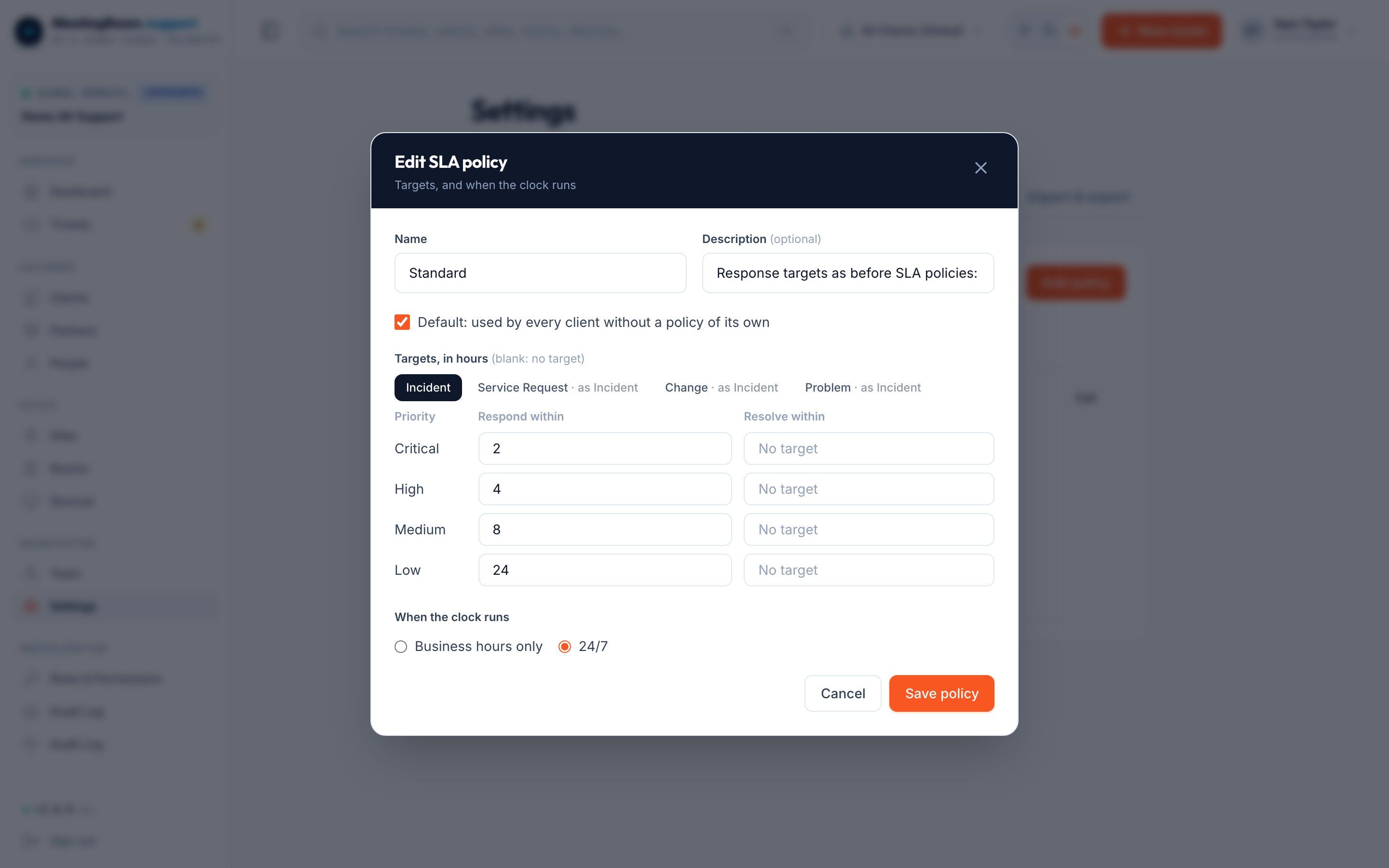
Select Add policy, or Edit on a policy. The Edit SLA policy form with targets per priority, tabs per ticket type and when the clock runs Editing a policy affects tickets raised or re-prioritised after the edit. Tickets already open keep the targets they had. Some plans allow only one SLA policy. See Plans.
Choosing who uses which policy

  • A client: the SLA policy field on the client’s form. See Clients.
  • A site: the Contract section of the site’s form, for a site on different terms from the rest of its client. See Sites.
Both need Manage SLAs.